Tap Color Pro: Color By Number
Tap Color StudioBoard
4.525.88K Reviews
- Version
- 7.7.6
- Installs
- 50.00M
- Age Rating
- Everyone
Screenshots
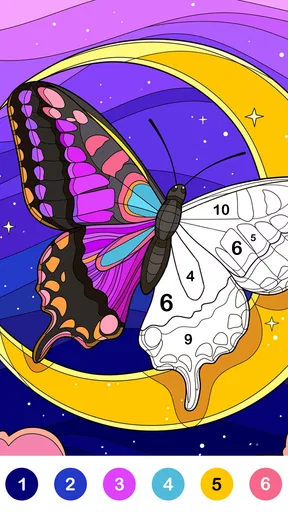
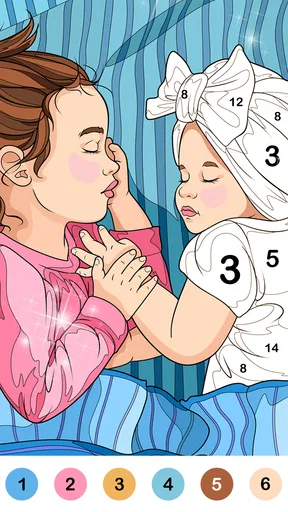

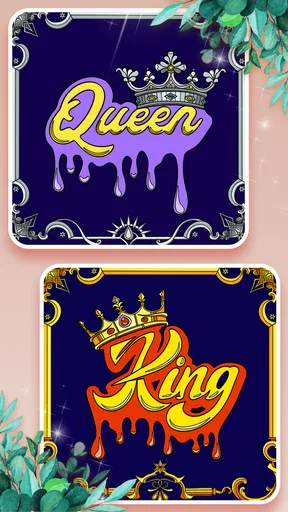

Our Review of Tap Color Pro: Color By Number
 Analysis by Appyee
I like a coloring game best when it makes it easy to begin, pause, and return without turning a quiet moment into another task to manage. Tap Color Pro: Color By Number is built around that simple rhythm: choose a picture, fill numbered spaces, and watch the image come together. It suits short breaks better than a demanding puzzle, and its appeal is less about testing artistic skill than giving your attention somewhere calm to land.
Tap Color Pro is a free board game from Tap Color Studio, rated for Everyone and available on devices running Android 6.0 or later. Its average rating is 4.6 from around 218,000 ratings, and it has passed 50 million installs. Those figures point to a widely used pastime, but the more useful question is whether its tap-based coloring feels comfortable for you. In my experience, the answer depends on how you handle small numbered areas, repeated touches, and a screen full of color.
Coloring Your Way to Relaxation
Right from the get-go, Tap Color Pro: Color By Number offers a delightful experience. The app invites you into a world where creativity meets relaxation. It’s like having a coloring book on steroids, but without the hassle of finding the right colored pencils.
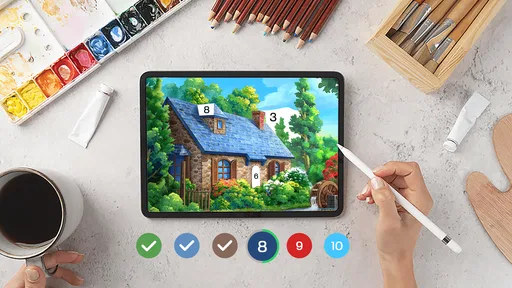
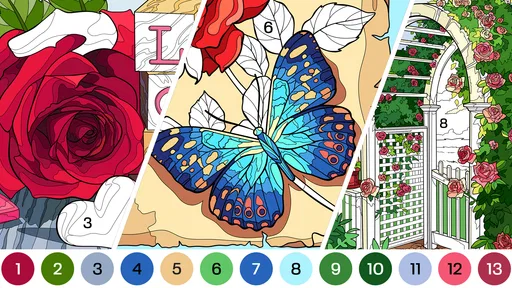
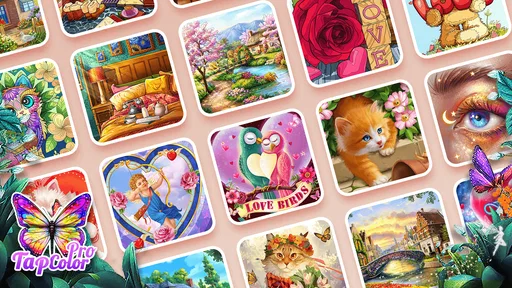
Opening up the app, you're greeted with a vast selection of images to color. From intricate mandalas to adorable animals, there’s something for everyone. The interface is super intuitive. Just tap on a number, and the app fills in the corresponding color. It’s as simple as that!
Choosing a picture that fits the moment
What I love about this app is the sheer variety of images. There are categories galore! Fancy coloring some flowers? There’s a section for that. How about landscapes? Yup, got you covered. It’s like having an endless supply of coloring books in your pocket.
That variety makes it easier to choose a picture for the mood and the amount of time I have. A detailed design can hold my attention when I want a longer, more absorbing session; a familiar subject is a better pick when I just want to settle into a few minutes of tapping. I’d start with a less intricate image if tiny regions are tiring to locate, then try busier artwork only when I’m in the mood to concentrate.
The color palettes are equally impressive. Each drawing comes with a pre-set palette, ensuring even the most creatively challenged among us can produce something beautiful. The colors are vibrant, and the finished pieces look like they’ve been done by a pro.
Readable enough, with a few things to watch
The numbered-color format gives each tap a clear purpose, which is one reason the basic navigation feels approachable. You aren’t choosing colors or planning a composition from scratch; the picture guides you through a sequence of small decisions. That can be reassuring for someone who finds a blank page intimidating, though it also means this is guided coloring rather than open-ended drawing.
For readability, I’d judge a picture by its detail before committing to it. Small cells and similar-looking numbered areas can call for more visual attention than a quick glance suggests. If you notice yourself hunting around, switch to a simpler image or take a break instead of treating completion as a test. The point is to enjoy the process, not to finish every picture at the same pace.
Features That Stand Out
One feature that really caught my eye is the daily updates. Yes, you get new pictures to color every day! It’s a little gift that keeps on giving. Plus, the app keeps track of your progress, so you can easily pick up where you left off.
That saved progress is particularly handy for an interrupted session: I can put the phone away when a call comes in and return to the same unfinished picture later. For a smoother routine, I’d choose one image rather than browsing for a long time, finish a small cluster of areas, and stop at a natural point. It keeps the activity restful instead of turning the search for the “perfect” picture into the main event.
Another neat aspect is the ability to share your creations. Finished a masterpiece? Share it with friends or on social media directly from the app. It’s a fantastic way to showcase your creativity and maybe even inspire someone else to give coloring a go.
Sharing is a bonus rather than the main reason I’d use the game. If I’m coloring privately to decompress, I can simply enjoy the finished image and move on; if I want a small creative item to send to someone, a completed picture gives the session a satisfying endpoint. Either way, the reward comes from following the image to completion, not from needing to post it.
Small taps, real sensory trade-offs
Tap-based play avoids the mess and hand pressure of physical pencils, but it still asks for repeated, accurate touches. That distinction matters: someone who finds holding art supplies uncomfortable may prefer tapping, while a person with hand fatigue or difficulty aiming at small targets may find detailed designs demanding. I’d test a simple picture first and notice whether the motion feels easy to repeat.
The bright finished colors can be pleasing, yet a colorful screen is not automatically soothing for everyone. I’d use the game in a comfortable setting and take a pause if the display starts to feel visually busy. It is also better suited to a quiet, focused moment than to someone who wants spoken guidance, tactile materials, or a more physically expressive art activity.
Perfect for All Ages
One of the things I appreciate the most about Tap Color Pro: Color By Number is its universal appeal. It’s perfect for both kids and adults. Whether you're looking to keep the little ones entertained or need a moment of zen yourself, this app is a perfect fit.
Its Everyone age rating makes it an option to consider for a shared family pastime, but I’d still choose pictures with a child’s patience and comfort in mind. The simple tap-and-fill idea is easy to explain, while the finer details may suit older children or adults better. It works as a calm activity alongside an adult, not as a substitute for checking whether a particular screen activity is suitable for a child.
And don’t worry about getting stuck. The app includes hints that can help you find those tricky missing pieces. It’s a nice touch that helps keep frustration at bay and the experience pleasant.
I’d save hints for the moment when I’ve genuinely lost track of a remaining patch. Using one too quickly can interrupt the satisfaction of searching and completing the picture myself; leaving a stubborn area for later is another reasonable choice. This is a small but useful way to keep the game at my own pace rather than letting an unfinished shape dictate when I stop.
Where it fits among coloring alternatives
Compared with a paper coloring book, this game removes the need to carry pencils, pick colors, or find a surface, and it can preserve an unfinished picture for a later session. The trade-off is that the numbered template decides where color goes. If you want to experiment with your own palette, sketch freely, or feel the texture of a pencil on paper, a physical book or drawing app is a better match.
Compared with other paint-by-number games, the practical choice is often about the image selection and whether the tap-to-fill routine feels comfortable, rather than about artistic freedom. Tap Color Pro’s range of subjects and ongoing picture additions give me reasons to browse, but browsing can also eat into the time I meant to spend coloring. I’d pick a category first and treat the catalog as a menu, not an activity in itself.
It is most useful for people who enjoy gentle repetition, want a low-pressure creative break, or like seeing a picture gradually resolve without having to invent the design. I’d skip it if I needed a game with strategy, competition, a strong narrative, or a substantial skill challenge. It may also be a poor fit if small on-screen targets are uncomfortable or if screen-based color is not the kind of sensory experience you want.
Everyday use, interruptions, and spending
A realistic use for me is a few minutes between errands: I open a partly finished picture while waiting, color a handful of areas, then leave when my turn comes. The progress feature makes that stop-start pattern workable. At home, a longer session can be more absorbing, but I’d still choose a picture based on how much attention I want to give it rather than assuming every design will suit a short break.
The game is free to start, with in-app purchases ranging from $0.99 to $49.99 per item. I’d try the ordinary coloring routine before paying for anything, because the core question is whether I enjoy the pictures and repeated taps. Purchases may be worth considering for someone who wants more content or tools, but I wouldn’t treat spending as necessary to find out whether the basic pastime fits.
The release date is May 29, 2020, and version 7.6.9 is the current version. For a prospective player, those details are less important than checking that the phone meets the Android 6.0 minimum and deciding whether the screen and touch interaction suit their needs. The rating and large audience can reassure someone who wants an established option, but they cannot tell you whether its visual density or pace will feel right personally.
Why You Should Try It
So, why should you give Tap Color Pro: Color By Number a shot? Well, first and foremost, it’s a fantastic way to de-stress. Coloring has been shown to reduce anxiety and enhance mindfulness. Plus, it’s just plain fun!
I’d frame that benefit as a personal possibility, not a guaranteed result. For me, the numbered steps can narrow my focus for a while, but if I’m already frustrated by tiny targets or bright screens, the same routine may not feel calming. The best test is a brief session with a simple image: if I finish feeling settled, it has earned a place in my downtime; if I feel impatient, I can leave it there.
It’s also incredibly convenient. Whether you’re waiting for an appointment, on a break at work, or just lounging at home, the app provides a quick escape into a colorful world.
There is one everyday trade-off in that convenience: a phone is also full of interruptions. I find it helps to open the game with a modest goal, such as coloring a few areas, rather than expecting an uninterrupted stretch. That way an alert or a change of plans doesn’t make the session feel spoiled. For a person who wants an activity away from notifications altogether, paper coloring is still the cleaner choice.
And let’s not forget about the cost. While there are in-app purchases, the free version offers plenty to keep you busy. If you do decide to invest in the premium features, you’ll find even more pictures and tools at your disposal.
The Final Stroke
All in all, Tap Color Pro: Color By Number is a delightful app that combines creativity with relaxation. Whether you're a coloring enthusiast or just looking for a new way to unwind, this app is definitely worth downloading. It’s a small investment in your mental well-being and a wonderful way to let your creative juices flow.
My inclusive verdict is positive with a practical caveat: the simple color-by-number structure can make starting easier, and saved progress supports breaks, but the experience still relies on seeing small areas and tapping them repeatedly. I’d recommend it to someone who likes guided coloring and wants an easy activity to pick up and put down. If comfort, visibility, or sensory preferences make detailed screen work tiring, a larger-format paper book or another non-screen pastime may be kinder.
So, go ahead and give it a try. You might just find your new favorite pastime!
Privacy and Permissions
See what permissions an app requests and how it handles your data.
- Photos/Media/Files
- read the contents of your USB storage, modify or delete the contents of your USB storage
- Storage
- read the contents of your USB storage, modify or delete the contents of your USB storage
- Wi-Fi connection information
- view Wi-Fi connections
- Other
- view network connections, change network connectivity, full network access, control vibration, prevent device from sleeping, Google Play license check, read Google service configuration
Verdict
Strengths of Tap Color Pro: Color By Number
- Vast library of coloring pages.
- Intuitive and easy-to-use interface.
- Regular updates with new art.
- Relaxing and stress-relieving.
- Offline mode available.
Limitations of Tap Color Pro: Color By Number
- Contains in-app purchases.
- Ads can be intrusive.
- Limited features without premium.
- Requires internet for updates.
- Some images are paywalled.
Other Releases by Tap Color Studio
View All
Tap Color® Color by number
Board4.7

Color Oasis - Color by Number
Board4.8

Sortime - Goods Puzzle Sorting
Puzzle4.4
Similar Picks in This Category
View All
Ludo King®
Gametion4.1

Ludo
Yarsa Games4.6

Tile Master® - Matching Game
Higgs Studio3.6

Checkers Online
CC Games4.6

Dominoes
Loop Games4.7

Chess
Chess Prince4.6
Frequently Asked Questions
What is Tap Color Pro: Color By Number?
Tap Color Pro: Color By Number is a digital coloring book app that allows users to color various images by following a numbered guide. It offers a relaxing and creative experience with a wide range of artworks, including animals, mandalas, and landscapes. The app is available for both Android and iOS devices.
How does the color by number feature work in Tap Color Pro?
The color by number feature in Tap Color Pro assigns each section of an image a specific number corresponding to a color. Users tap on the sections to fill them with the appropriate color, gradually revealing a complete, vibrant picture. This feature makes it easy for anyone to create beautiful artwork without needing advanced artistic skills.
Is Tap Color Pro free to use, or does it require a subscription?
Tap Color Pro offers both free and premium content. While users can access a variety of images for free, subscribing unlocks additional features such as exclusive artworks and an ad-free experience. The subscription model typically includes weekly or monthly payment options, allowing users to choose their preferred plan.
Can I use Tap Color Pro offline?
Yes, Tap Color Pro allows users to download images for offline coloring. Once downloaded, these images can be accessed without an internet connection, making it convenient for users to enjoy coloring anywhere and anytime. However, an internet connection is required to download new images and access online features.
What age group is Tap Color Pro suitable for?
Tap Color Pro is suitable for a wide range of age groups, from children to adults. Its intuitive interface and simple color-by-number system make it accessible for young users, while the variety of complex and detailed images cater to adult users seeking a relaxing artistic outlet. Parental guidance is recommended for very young children.
Play our best games!


